As I was helping one of my customers implement structured CI/CD and MLOps processes on Databricks, I decided to compile a practical checklist to guide others on similar journeys. While this topic could easily span books and multi-day workshops, my goal here is to keep it simple and actionable.
This checklist outlines best practices across six essential areas: environment strategy, coding, CI/CD, governance, data engineering, and MLOps. While it’s designed with Databricks in mind, many of these principles can be applied to other modern data platforms as well. For a deeper dive, I also recommend reviewing Databricks’ documentation on MLOps workflows.
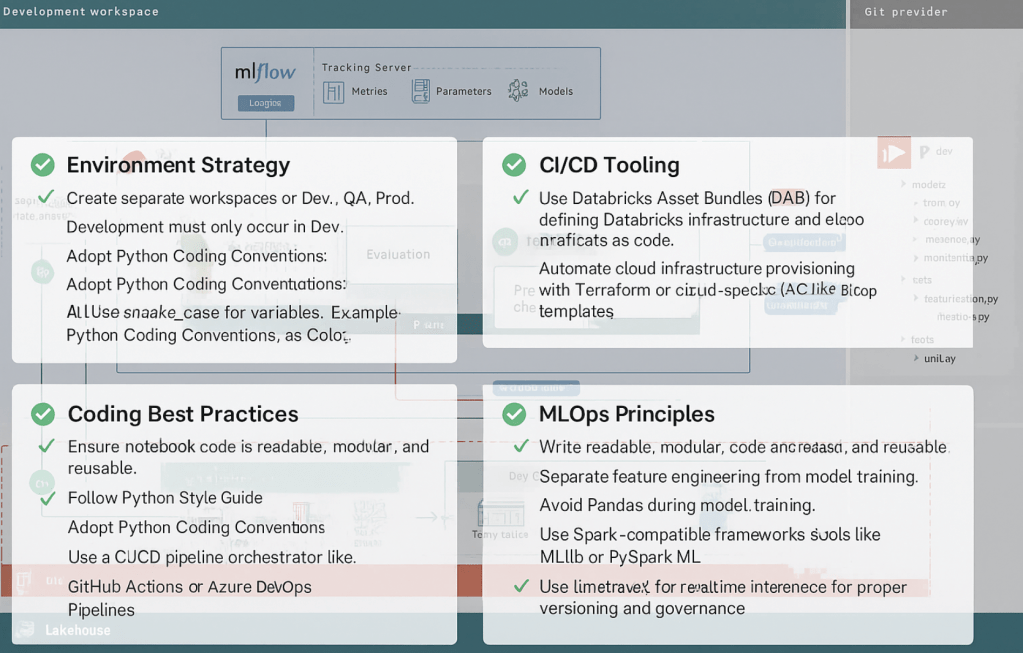
Environment Strategy
- ✅ Create separate workspaces for Dev, QA, and Prod.
- ✅ Development must only occur in Dev. No direct edits should be made in QA or Prod.
- ✅ Business users and analysts should only access dashboards and Genie Spaces in the Prod workspace.
- ✅ All pipeline, dashboard, and model promotions must go through CI/CD pipelines.
- ✅ All production jobs should run using a Service Principal identity (run-as).
- ✅ Set up data synchronization from Prod to Dev to allow realistic testing, while protecting sensitive data.
- ✅ Use Workspace-to-Catalog bindings to restrict access to production catalogs from non-prod workspaces. Example: pricing_prod catalog should only be accessible from the production workspace.
- ✅ Implement cluster policies to enforce consistent, secure cluster creation per environment.
- ✅ Use table versioning or parameterized pipeline logic to safely test changes in production scenarios, such as running A/B tests on new transformations or model versions.
- ✅ Track usage and costs per workspace with system tables like
system.billing.usagein conjunction with dashboards. - ✅ Databricks resources naming convention
- Use consistent, lowercase, and descriptive names with hyphens or underscores:
Workspaces: dbr-prod, dbr-dev
Catalogs: finance_prod, marketing_dev
Clusters: etl-silver-prod, ml-training-dev
Warehouses: reporting_wh, ad_hoc_wh
Notebooks: 01_ingest_customers, train_model_xgboost - Prefix objects by layer or purpose, such as bronze_, silver_, ml_, tmp_
- Use consistent naming across catalogs, schemas, and tables to reflect data lineage
- Avoid ambiguous or generic names like data1, temp_table; prefer meaningful names like raw_transactions
- Include environment or domain context in names when applicable (e.g., finance_prod.customer_data)
- Use consistent, lowercase, and descriptive names with hyphens or underscores:
Coding Best Practices
- ✅ Ensure notebook code is readable, modular, and reusable.
- ✅ Follow Python Style Guide
- ✅ Adopt Python Coding Conventions:
- Use snake_case for variables and functions. Example: calculate_total(), user_name
- Use PascalCase for class names. Example: DataProcessor, InvoiceManager
- Keep line length under 79 characters Improves readability and makes code reviews easier
- Use 4 spaces per indentation level Avoid tabs — standardize with spaces
- Include docstrings in modules, classes, and functions Use triple quotes to describe purpose, parameters, and return values
- Define types for function parameters, attributes, and return values Example: def compute_cost(values: list[float]) -> float:
- ✅ Adopt SQL Coding Conventions:
- Use uppercase for SQL commands Example: SELECT, FROM, WHERE, JOIN — improves readability and highlights the command
- Use snake_case for table names, column names, and aliases Example: active_clients, monthly_sales_total
- Organize code with line breaks and indentation. Each clause on a new line and indented for better maintainability.
- SELECT name, age
- FROM clients
- WHERE active = TRUE
- ORDER BY age DESC;
- Use meaningful names for tables, columns, and CTEs Avoid generic names like t1 or temp; prefer active_clients, sales_2024
- Avoid SELECT * in production Always specify the necessary columns to reduce cost and improve clarity
- ✅ Avoid notebook cells with more than 20 lines of code to improve readability
- ✅ Use classes and methods to reuse code and simplify structure
- ✅ Parameterize all notebooks, queries, and dashboards using widgets For example, table names and catalogs should always be passed as widgets
CI/CD Tooling
- ✅ Use Databricks Asset Bundles (DAB) for defining Databricks infrastructure and deploying artifacts as code.
- ✅ Automate cloud infrastructure provisioning with Terraform or cloud-specific framework like Bicep templates (Azure-native IaC).
- ✅ Use a CI/CD pipeline orchestrator like GitHub Actions or Azure DevOps Pipelines.
- ✅ Set up automatic security scans (e.g., Checkov, Bandit, CodeQL) as part of CI.
Governance
- ✅ Create data filtering policies based on group, role, or business unit – implement row-level and column-level access controls
- ✅ Structure user groups according to access levels and business rules
- ✅ Define granular data access: catalogs, schemas, and tables
- ✅ Define granular access to objects and environments: workspaces, warehouses, dashboards
Data Engineering Practices
- ✅ Raw data from external systems (e.g., HubSpot, Salesforce) should land in a dedicated catalog, e.g.,
landing_zone. - ✅ Follow the medallion architecture: bronze for raw, silver for cleaned, gold for analytics-ready data.
- ✅ Avoid Pandas for transformation. Leverage Spark DataFrames to enable distributed processing and scalability.
- ✅ Define and enforce data quality checks using DLT Expectations, dqx, or tools like dbt or Great Expectations.
- ✅ Build observability dashboards that provide visibility into:
- Pipeline status (success/failure)
- Data quality metrics (null values, duplicates, uniqueness)
- Execution time and throughput
- ✅ Use time travel and Delta log checkpoints for critical tables to support debugging and rollback.
- ✅ Automate data validation tests with dbt, Pytest, or other tool.
MLOps Principles
- ✅ Write readable, modular code that can be reused and easily understood by others.
- ✅ Separate feature engineering from model training.
- ✅ Avoid Pandas during model training. Use Spark-compatible frameworks like MLlib or PySpark ML to parallelize training.
- ✅ Tune hyperparameters using distributed frameworks like Optuna or Ray Tune.
- ✅ Use MLflow for experiment tracking, from data exploration to production deployment.
- ✅ Wrap model logic in a reusable model wrapper that contains training and inference logic in a single interface. Example: Automotive Geospatial Accelerator.
- ✅ Build dashboards to monitor:
- Model performance metrics (accuracy, F1, AUC, etc.)
- Data drift over time
- Inference logs and errors
- ✅ Register all models in Unity Catalog Model Registry for proper versioning and governance.
- ✅ Use Model Serving for real-time inference and track logs and outputs in Delta tables.
- ✅ Set performance validation thresholds before promoting models.
- ✅ Enable alerts for anomalies (e.g., sudden drop in accuracy, latency spikes) using Azure Monitor, Slack, or email integrations.
- ✅ Include feature importance or SHAP values in your model outputs for interpretability.
Final Thoughts
MLOps is a journey, not a checklist. But checklists like this help teams align and execute consistently, especially in fast-paced environments. You don’t have to implement everything on day one. Start small, automate what you can, and evolve your processes as your use cases mature.
If you’re starting out or refining your workflow, I highly recommend reviewing Databricks’ official MLOps documentation for reference architectures and templates.
 AI BITS
Leave a comment